ALKROS COACH
How to organise online coaching without scattered chats and spreadsheets
A practical personal trainer workflow from invitation to weekly review, with training, nutrition and client conversations in one place.
Start with one client and a clear agreement
Before moving your full client list, complete one coaching cycle. Invite a client and agree where questions go, when check-ins are due and when you normally reply. Software organises the work; it does not define your availability. Explain what your coaching includes and what you review each week.
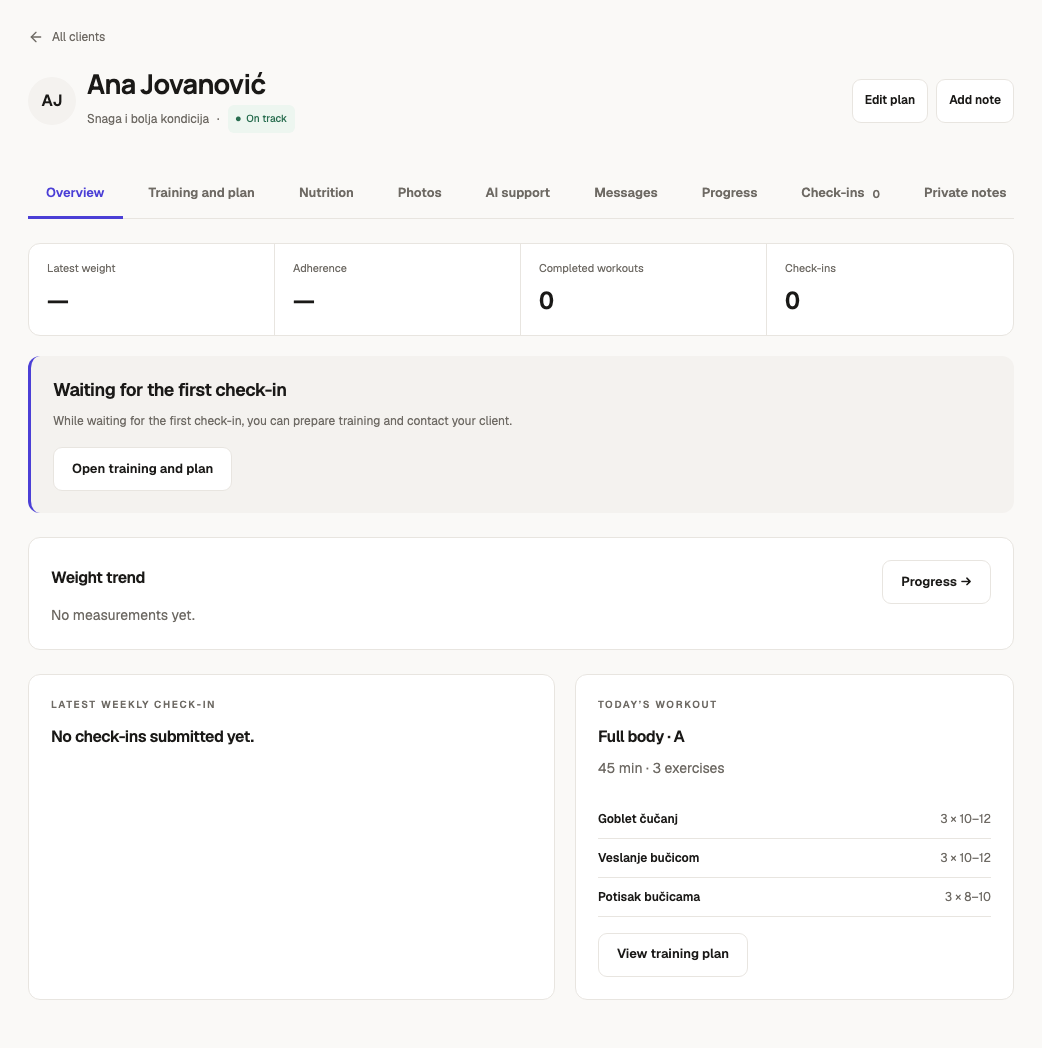
Alkros Coach gives the client their own access to assigned training, nutrition, results and conversations. Keep private coaching notes separate from instructions the client needs to see. An important change should not remain buried in an old message.
Assign a plan the client can follow
Prepare exercises, sets and repetitions, then check the schedule before assigning. Adapt templates to available equipment and the client’s circumstances. Ask the client to find the next workout and record a set: this checks understanding, not just acceptance of an invitation.
Treat meals as a separate agreement covering foods, quantities and substitutions. Saved plans represent a specific version. Review and confirm changes so earlier workouts still make sense after a new assignment.
Turn the weekly review into a decision
Read the check-in alongside completed workouts and conversation questions. If a session was missed because time ran out, look at scheduling and duration first. A missed session alone does not establish poor motivation or an unsuitable program.
End with a clear reply: what stays, what changes and when you will review again. Save confirmed plan changes in the plan itself. Measure your own review time with a few clients rather than assuming a particular time saving.
Check the workflow before migrating
Confirm that the client can open a workout, record a result, find their meals and send a message on a phone. Notifications depend on device permission, so the conversation remains the place to check replies. Move remaining clients gradually and agree which system is authoritative.
An example of the first week
Consider a client who can train on Monday, Wednesday and Saturday. Check equipment and availability before assigning the confirmed program. In your first message, explain how to open a session, record sets and ask a question. Familiarity with other fitness apps does not guarantee familiarity with this workflow.
After the first session, check whether results were recorded and questions remain. At the end of the week, read the check-in and workout history together. If Saturday was missed, clarify why before deciding whether timing, workload or neither needs to change. This is a workflow example, not a universal training prescription.
Three common migration mistakes
The first is keeping several competing versions of the current plan. A message with one version and an app with another creates uncertainty. Agree that the confirmed assignment is the current plan. The second is asking for too much immediately: establish basic logging before adding more questions and measurements.
The third is treating an empty field as an answer. A missing log may mean a forgotten entry, a connection problem or a missed workout. Ask before concluding. Keep the reasoning in private notes and give the client a short, practical next step.
A checklist for the weekly review
Check five things: whether the plan is clear, what was recorded, unanswered questions, whether the schedule remains workable and whether a confirmed change is needed. If nothing needs changing, say so. Consistency does not require a new program every week.
Software should make information easier to find. The quality of the reply and professional judgement remain yours. Assess the workflow using your review time, unresolved questions and the client’s feedback.